Create an ATS-Friendly CV with Claude and Overleaf
A practical workflow for creating a professional ATS-friendly CV with Claude AI and Overleaf, without relying on paid resume tools.
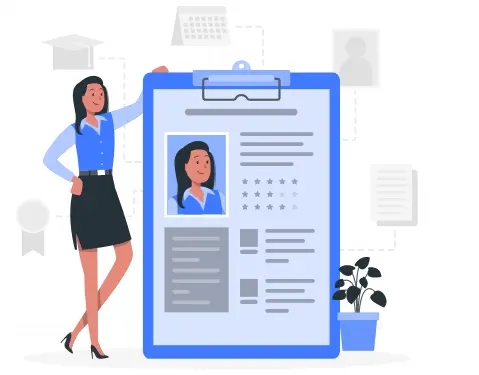
Creating a good CV is often harder than it should be. Many templates look polished but do not work well with ATS systems, while many ATS-safe templates look too plain. A practical combination I found useful is Claude AI + Overleaf.
Why this workflow is useful
This setup gives you:
- AI support for writing and editing content
- stronger control over layout
- a document that is easier to maintain over time
It is also a good option if you want to avoid paid resume builders.
Step 1: Prepare your raw content
Before using AI, collect:
- contact details
- summary
- education
- experience
- projects
- skills
If the raw input is messy, the result will also be messy.
Step 2: Use Claude to structure the CV
Claude is useful for:
- rewriting long descriptions into concise bullets
- improving clarity
- making the tone more consistent
- aligning content with the role you are targeting
The goal is not to invent achievements. The goal is to present real work more clearly.
Step 3: Move the content into Overleaf
Overleaf gives better control over formatting than many drag-and-drop tools:
- cleaner spacing
- easier section alignment
- easier revisions
- better long-term reuse
That is useful when you expect to update your CV frequently.
Step 4: Check ATS readability
An ATS-friendly CV should have:
- clear section headings
- standard naming
- consistent date formatting
- minimal decorative noise
Readability matters more than visual effects.
Step 5: Tailor the CV for each role
Once you have a strong base version, adjust it for the job:
- refine the summary
- reorder projects
- highlight the most relevant skills
- keep role-specific details near the top
This becomes much easier when the base document is already structured well.
What I like about this approach
The main benefit is control. AI speeds up the writing process, while Overleaf keeps the document stable and maintainable. That balance makes the workflow practical, especially for students and early-career engineers.
Frequently Asked Questions (FAQ)
Can LaTeX CVs be read by ATS systems?
Yes, LaTeX-generated CVs are very ATS-friendly because they produce clean PDF files with clear text structure. ATS systems can easily scan and extract information from LaTeX CVs.
What software do I need to install?
You only need:
- An Overleaf account (free) - visit overleaf.com
- Claude AI (free with daily limits)
No additional software installation required.
Can the generated CV be printed?
Yes, PDFs from Overleaf are high quality and suitable for printing. Fonts and layout are preserved when printing.
How do I update my CV later?
Simply:
- Log in to Overleaf and open your CV project
- Edit the content in the LaTeX file
- Click "Recompile" to generate a new PDF
- Download the updated version
Is Overleaf free?
Overleaf offers both free and paid plans. The free plan is sufficient for creating and managing personal CVs with no project limits.
Blog
Related posts

2026-03-23
Codebase Prompt Enhancer: How I Rewrite Coding Prompts to Fit the Repository Better
A practical look at why I built codebase-prompt-enhancer and how it helps turn vague coding prompts into repository-aware prompts that AI coding agents can execute more reliably.
Read post
2025-12-09
How to Build an AI Landing Page with Kiro IDE: A Practical Step-by-Step Guide
A practical guide to building a polished landing page with Kiro IDE and AI, from requirements and design prompts to implementation and refinement.
Read post
2025-11-29
Face Recognition Attendance System with FaceNet512 and RetinaFace
A practical attendance solution using face recognition, designed for production use with reliable detection, employee management, and reporting.
Read post